

Resource Usage
See how much disk space and bandwidth your hosting account uses against your plan, broken down by type and by website.
Resource Usage shows how much disk space and bandwidth your hosting account uses, against what your hosting package allows. Check it when your site or email slows down or stops accepting uploads, or before you add a large site, to see how close you are to your plan's limits. The page only shows figures; it changes nothing.
Check your usage
- In the panel, open Metrics → Resource Usage.
- Read the two bars at the top: Disk Space and Bandwidth (this month).
- Scroll down to By website to see which site uses the most.
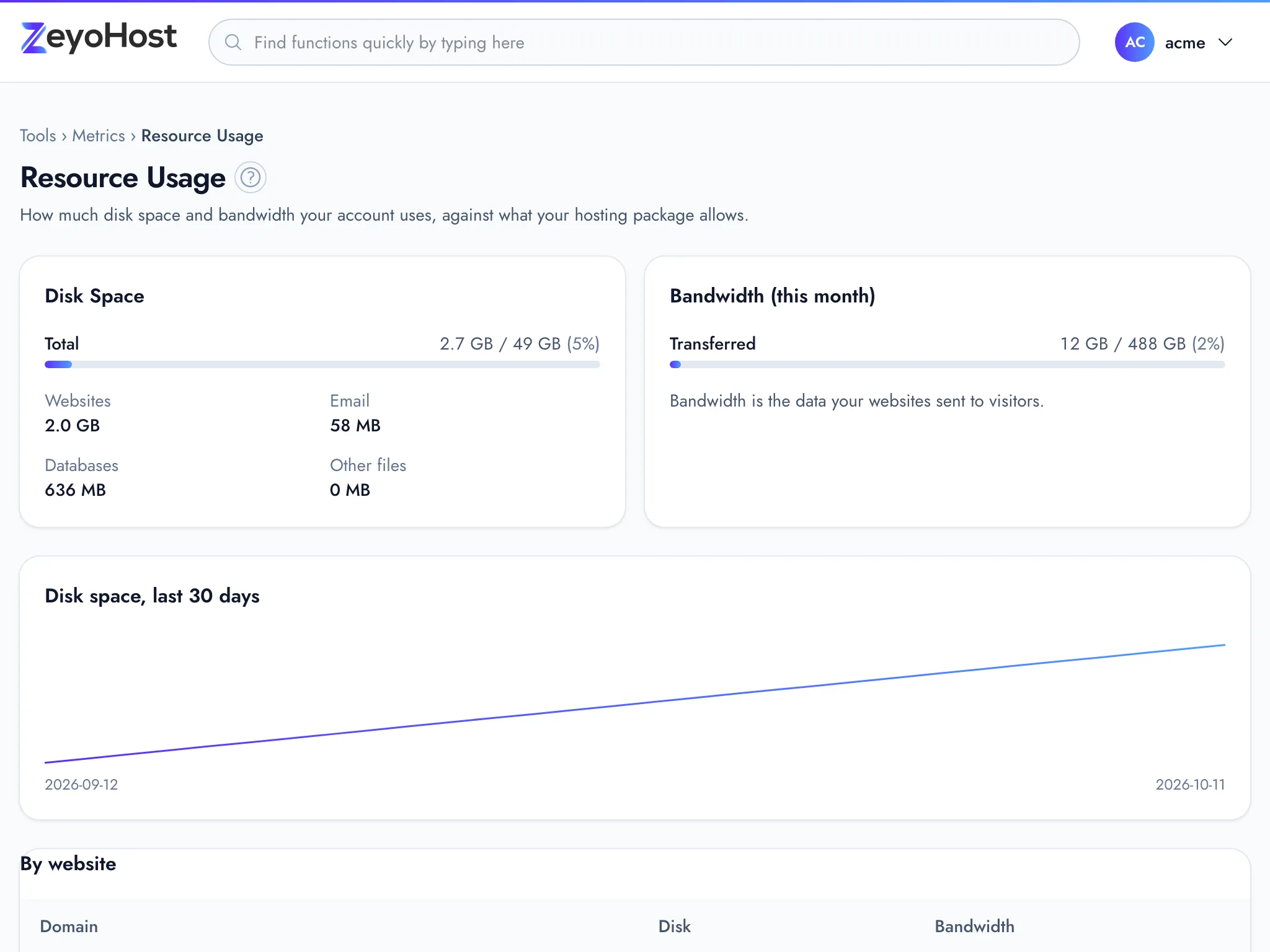
What each part shows
| Part | What it shows |
|---|---|
| Disk Space | The total your account uses, then the split between Websites, Email, Databases and Other files. |
| Bandwidth (this month) | The data your websites sent to visitors this month, under Transferred. |
| Disk space, last … days | A line showing how your disk use changed, up to the last 30 days. It appears once there are at least two days of figures. |
| By website | Each website's disk space and bandwidth, largest disk use first. |
Each bar shows the amount used, the limit and the percentage. The bar turns amber at 70% and red at 90%. When your
plan has no limit for an item, the limit shows as ∞ and no percentage is given.
When you are near a limit
- Find out which folders fill your disk with Disk Usage, and which hold too many files with Inodes Usage.
- Mail counts towards Email. See which mailboxes are largest in Email Accounts, and delete mail you no longer need.
- If you need more room, change your plan.
See also My disk or inodes are full.
Common errors
| Message | Why | What to do |
|---|---|---|
| We can't reach the hosting server | The panel could not get the figures from the server your hosting account is on. | Try again in a minute or two. Your websites and email are not affected. |
| This tool is not included in your plan | Your hosting package does not include this tool. | See A tool is not in my plan. |
| You have reached the limit of your plan. Remove something first, or move to a bigger plan in Billing. | Shown by other tools when an item on this page is at its limit. | Free up space or remove items, or change your plan. |
Related
- Disk UsageSee how much of your plan's disk space you use, and find which folders and files take up the most.
- Inodes UsageSee how many files and folders each folder of your hosting account holds, and find folders full of small files.
- My disk space or inodes are fullThe Disk Usage bar is red, or you were told your account has too many files. Find what is taking the space and free it.
- Change your planUpgrade straight away, or move to a smaller plan or another billing period at your next renewal.
Was this page helpful?
Sent without cookies; we do not store your IP address.
Still stuck? Contact the team; tell us the page and what you see.