

Indexes
Choose whether visitors see a list of files when they open a folder of your website that has no index page.
When a visitor opens a folder of your website, for example example.com/downloads/, they normally see that
folder's index page. Indexes decides what happens when the folder has no index page: show a list of the files in
it, or refuse. Use it to share a folder of downloads, or to make sure nobody can browse a folder's contents.
Change a folder's setting
- In the panel, open Advanced → Indexes.
- If you have more than one website, choose it under Website.
- Under Folder, choose
/for the whole website, or one of the folders directly inside it, such as/downloads. The box below shows that folder's current setting. - Choose one of the four settings (see the table below).
- Click Save.
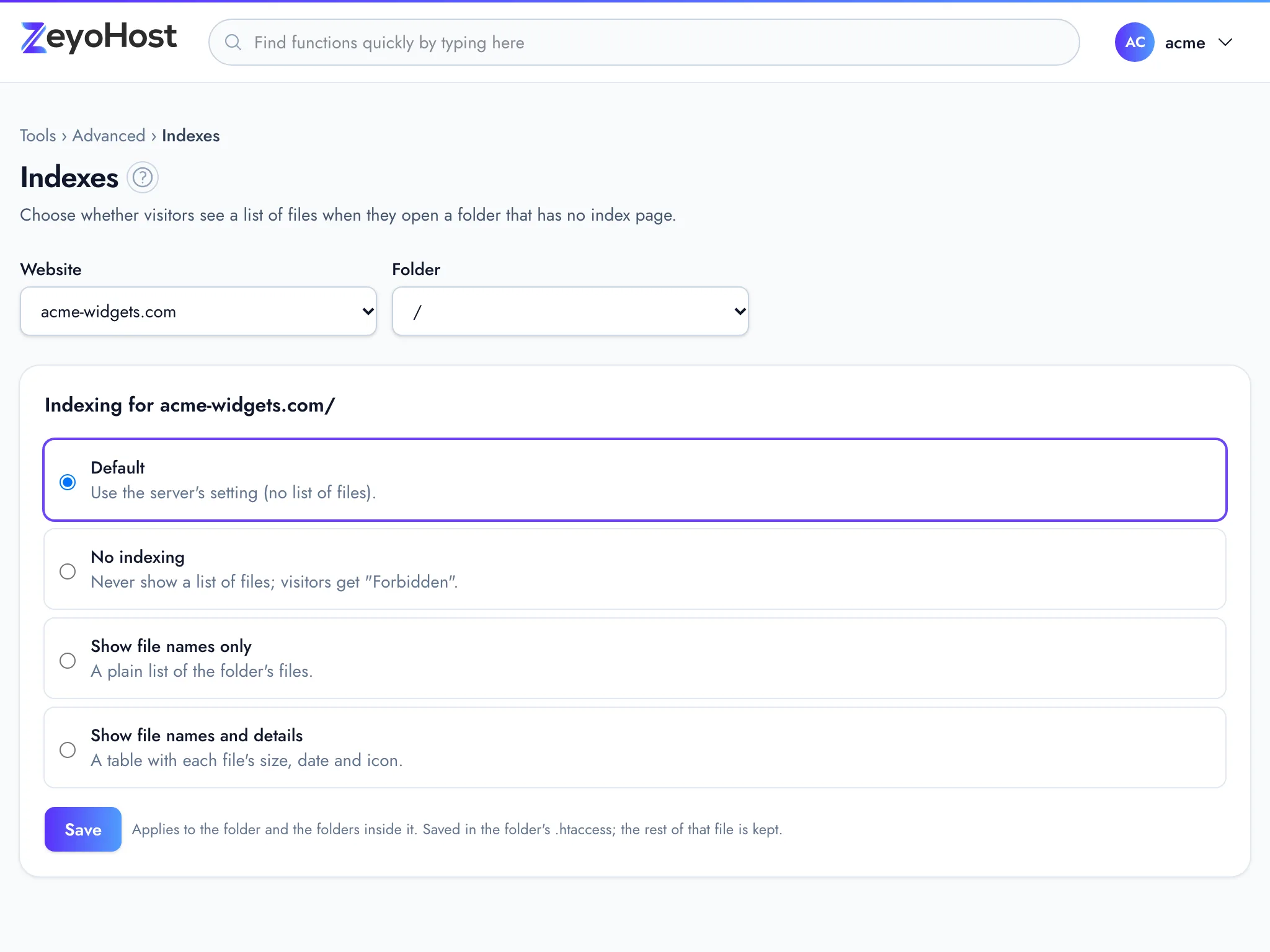
The setting applies to the folder and to the folders inside it.
| Setting | What visitors see |
|---|---|
| Default | The server's setting, which shows no list of files. |
| No indexing | Never a list of files. Visitors get "Forbidden", shown with your site's 403 page from Error Pages. |
| Show file names only | A plain list of the folder's files. |
| Show file names and details | A table with each file's size, date and icon. |
Where the setting is saved
The panel writes the setting into the folder's .htaccess file, between the lines # BEGIN ZeyoHost indexes and
# END ZeyoHost indexes. Everything else in that file is kept as it is. Choosing
Default removes those lines again, and removes the .htaccess file if nothing else was
in it. Edit your own lines in the File Manager, but leave the marked block to this
tool.
Common errors
| Message | Why | What to do |
|---|---|---|
| You have no websites yet. Add one in Domains. | Indexes works on a website's folders, and your hosting account has none. | Add a website in Domains first. |
| That folder's .htaccess is not a plain file. Fix or remove that file in the File Manager, then come back. | The folder's .htaccess is a link or a folder, so the panel cannot read or change it. |
Open the folder in the File Manager, remove the .htaccess link or folder or replace it with a plain file, then open Indexes again. |
Related
- Directory PrivacyAsk visitors for a user name and password before a folder of your website, or the whole site, opens.
- Error PagesChange the pages visitors see when a page is not found, not allowed, removed, or fails with a server error.
- File ManagerBrowse the files of your hosting account, create and edit text files, and copy, move, compress or delete files and folders.
- Apache HandlersChoose how the web server treats files with a given extension, by sending them as they are or using them as type maps.
Was this page helpful?
Sent without cookies; we do not store your IP address.
Still stuck? Contact the team; tell us the page and what you see.