

Email Accounts
Create mailboxes on your domains, change their passwords and storage space, and delete the ones you no longer need.
Email Accounts is where you create mailboxes such as [email protected], each with its own password and storage
space. You can also change a mailbox's password, give it more or less space, open it in webmail and delete it.
Each mailbox is a login inside your hosting account. It is not a team member and cannot sign in to the panel.
Create a mailbox
- In the panel, open Email → Email Accounts.
- Under Create an Email Account, enter the Username: the part before the
@, such asinfo. Use letters, numbers, dots, dashes or underscores. - Choose the Domain.
- Enter a Password of at least 10 characters with upper- and lower-case letters and numbers, or click Generate to make a strong one. Note it down: you need it to set up a mail app.
- Under Storage Space, choose Limited and enter the size in megabytes, or choose the other option. On this hosting server it reads Unlimited; on Zeyo Host Mail it reads Largest your plan allows.
- Click Create.
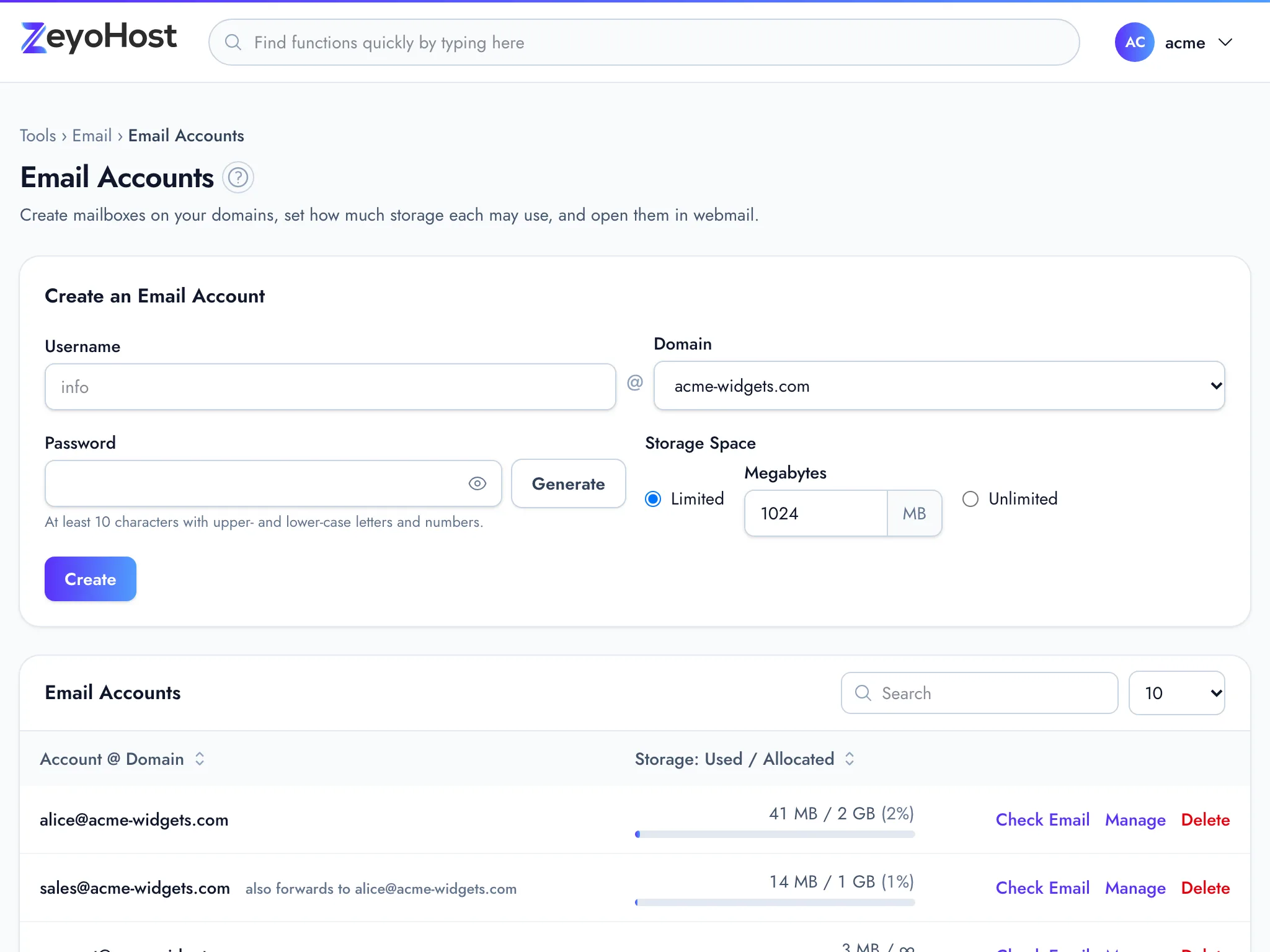
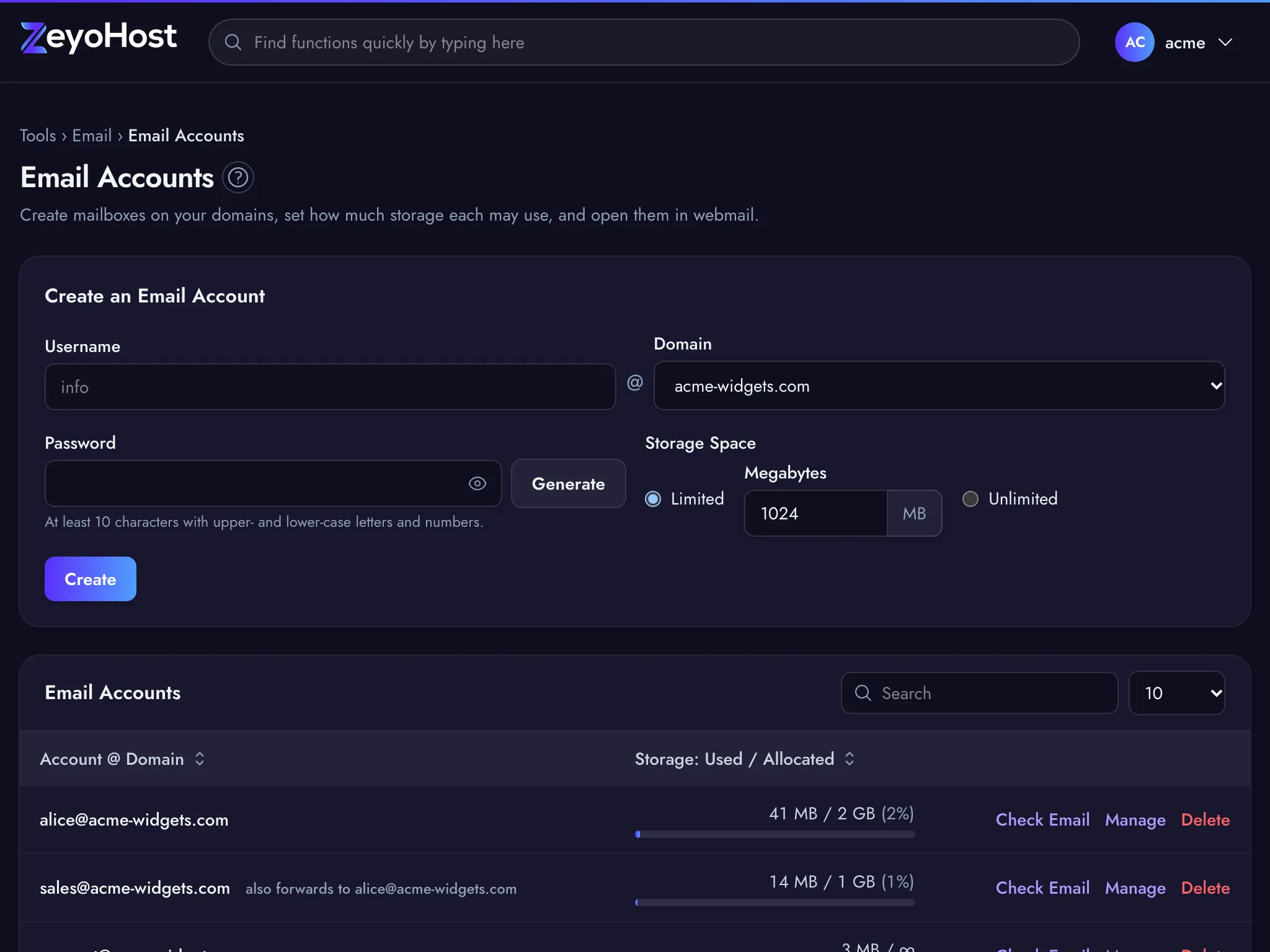
The table lists each mailbox with a bar for Storage: Used / Allocated. A mailbox that also forwards its mail shows "also forwards to" and the addresses. A Suspended label means the mailbox is suspended.
Read a mailbox's mail
Click Check Email next to the mailbox. On this hosting server it opens the domain's webmail, where you sign in with the full email address and the mailbox password. On Zeyo Host Mail it signs you straight in. See Webmail.
Change a password or storage space
- Click Manage next to the mailbox.
- To change the password, enter a New Password under Security and click Change Password. Update the password in every mail app that uses this mailbox.
- To change the space, enter the Allocated storage in megabytes, or tick the box above it, then click Update Storage. On this hosting server the box reads Unlimited; on Zeyo Host Mail it reads Largest your plan allows.
Delete a mailbox
- Click Delete next to the mailbox.
- Read the message and click Delete mailbox to confirm.
Common errors
| Message | Why | What to do |
|---|---|---|
| Use letters, numbers, dots, dashes or underscores. | The username has spaces or other characters, or starts or ends with a dot or dash. | Use only a–z, 0–9, ., - and _, starting and ending with a letter or number. |
| The password field must be at least 10 characters. | The password is too short. | Use 10 characters or more, or click Generate. |
| The password field must contain at least one uppercase and one lowercase letter. | The password has only one case. | Add both upper- and lower-case letters. |
| The password field must contain at least one number. | The password has no digits. | Add at least one number. |
| The storage space field must be between 1 and 1048576. | The size is zero, negative or too large. | Enter a whole number of megabytes, or choose the unlimited option. |
| That item already exists. | A mailbox or forwarder with that address already exists. | Choose another username, or manage the existing mailbox. |
| You have reached the limit of your plan. Remove something first, or move to a bigger plan in Billing. | Your plan's email account limit is reached. | Delete mailboxes you no longer need, or change your plan. |
| You need a domain before you can create email accounts. | There is no domain on your hosting account yet. | Add one in Domains. |
| You need a verified email domain first. Add one in Email Domains. | Your email is on Zeyo Host Mail and no domain is verified yet. | Add the domain and its DNS records in Email Domains. |
| Zeyo Host Mail could not be reached. Please try again shortly. | The panel could not connect to Zeyo Host Mail. | Wait a minute and reload the page. |
| Zeyo Host Mail is not connected yet. Please contact support. | Zeyo Host Mail is not set up for the panel yet. | Contact support. |
Related
- Email DomainsSee which domains your email uses, and on Zeyo Host Mail add a domain, set up its DNS records and check them.
- WebmailRead and send email in your browser, without setting up a mail app.
- Connect DevicesFind the server names, ports and sign-in details to set up your email on a phone, tablet or computer.
- ForwardersSend incoming mail for one of your addresses on to another address, with or without a mailbox of its own.
- Set up emailCreate a mailbox on your domain and add it to your phone, tablet or computer.
Was this page helpful?
Sent without cookies; we do not store your IP address.
Still stuck? Contact the team; tell us the page and what you see.