

Disk Usage
See how much of your plan's disk space you use, and find which folders and files take up the most.
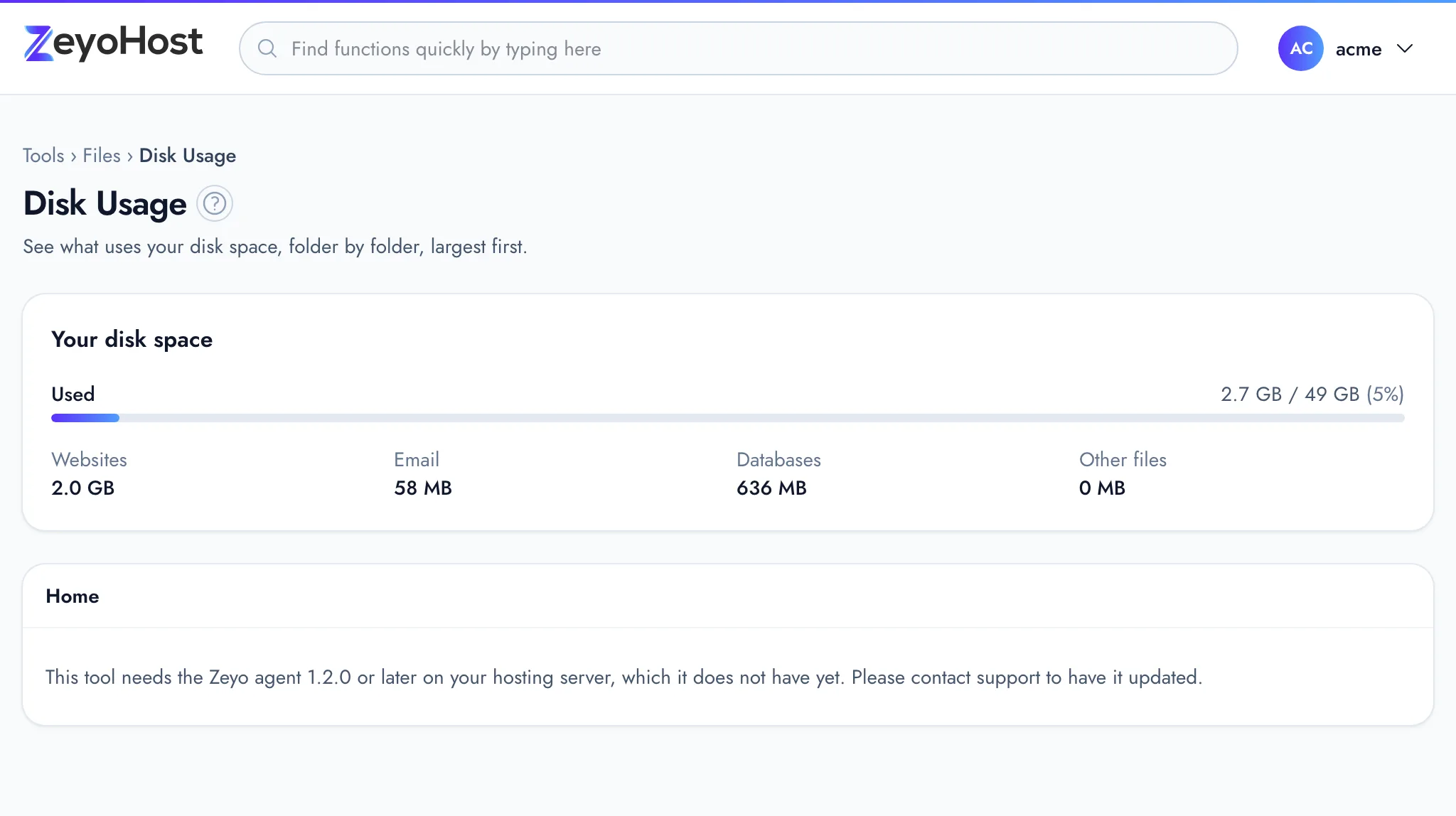
Disk Usage shows how much disk space your hosting account uses against your plan's limit, split by websites, email, databases and other files. Below that, it lists the folders and files in your home directory, largest first, so you can open folder after folder until you find what fills the space.
Check your disk space
- In the panel, open Files → Disk Usage.
- Your disk space shows what you use against your plan's limit. The bar turns amber at 70% and red at 90%.
- Underneath, Websites, Email, Databases and Other files show where the space goes.
Find what uses the space
- Look at the folder list. Each entry shows its size, a bar and its share of the folder you are in, largest first. The line above the list gives the total size of the folder and how many files and folders it holds.
- Click a folder's name to open it and see what is inside.
- Use the path above the list to go back. Home is your home directory.
Each website's files are in web/<domain>/public_html, so start with web to see which site is largest. Disk Usage
only shows sizes: to delete or move what you find, use the File Manager, or an
FTP account for large files.
Common errors
| Message | Why | What to do |
|---|---|---|
| This tool needs the Zeyo agent 1.2.0 or later on your hosting server, which it does not have yet. Please contact support to have it updated. | Your hosting server needs an update before the folder list can be shown. | Contact support and quote the message. |
| That item does not exist. | The folder was removed or renamed since the page loaded. | Click Home and open the folder again. |
Related
- Inodes UsageSee how many files and folders each folder of your hosting account holds, and find folders full of small files.
- File ManagerBrowse the files of your hosting account, create and edit text files, and copy, move, compress or delete files and folders.
- BackupSee the backups of your hosting account, create a new one, and restore websites, email, databases or files from one.
- Resource UsageSee how much disk space and bandwidth your hosting account uses against your plan, broken down by type and by website.
- My disk space or inodes are fullThe Disk Usage bar is red, or you were told your account has too many files. Find what is taking the space and free it.
Was this page helpful?
Sent without cookies; we do not store your IP address.
Still stuck? Contact the team; tell us the page and what you see.