

Manage API Tokens
Create tokens that let your own scripts change DNS records, mailboxes or the website cache without your password.
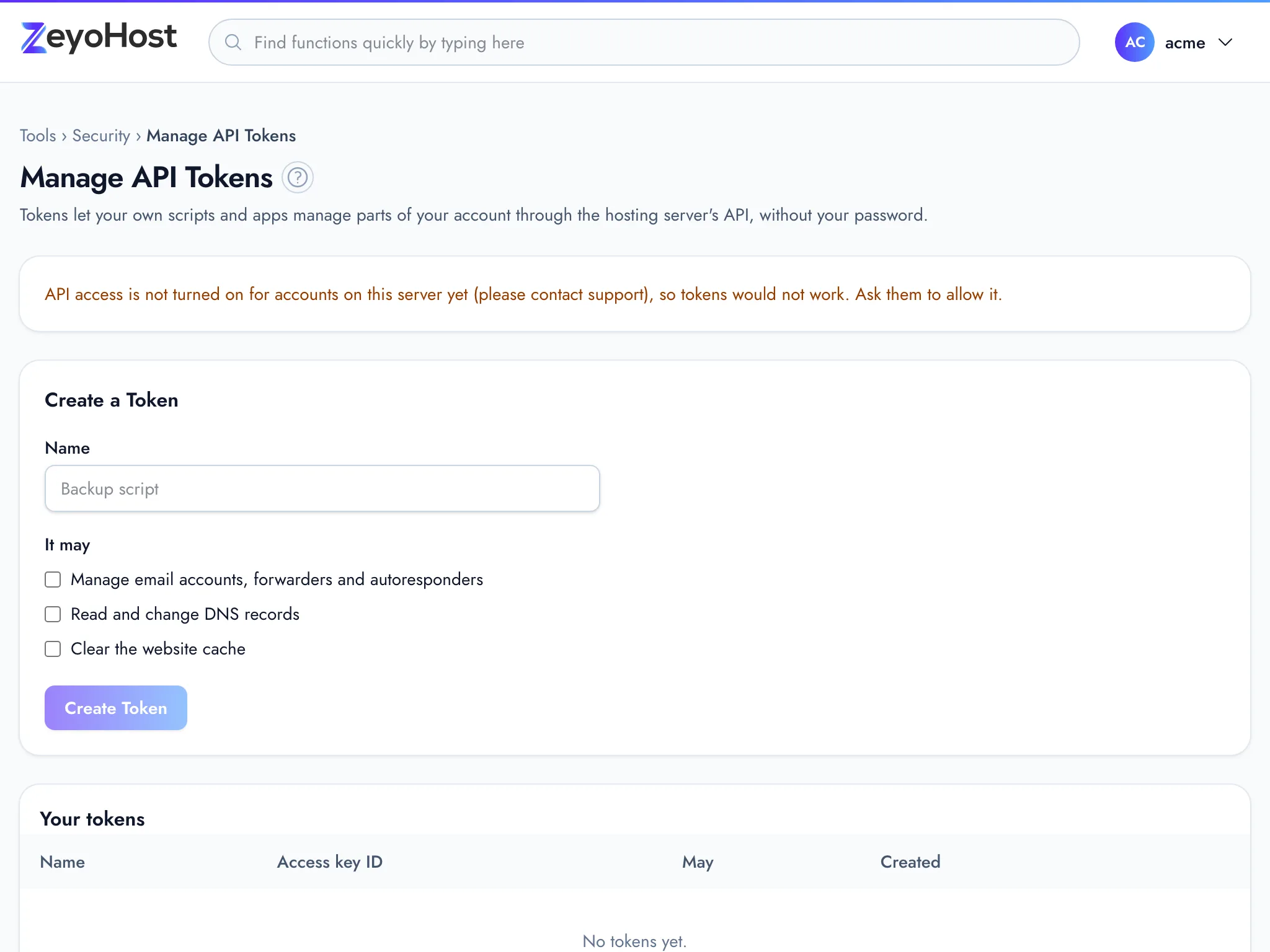
An API token lets your own scripts and apps manage parts of your hosting account through the hosting server's API, without your password. Each token may only do what you tick when you create it, and you can delete it at any time. Use one for a script that updates a DNS record, creates mailboxes or clears the website cache.
Create a token
- In the panel, open Security → Manage API Tokens.
- Under Create a Token, enter a Name that says what uses it, such as
Backup script. - Under It may, tick what the token may do (see the table below). Tick only what the script needs.
- Click Create Token.
- Copy the Access key ID and the Secret access key into your script or password manager. Copy puts the secret on your clipboard.
- Click I have saved it.
What a token may do
| Option | What it allows |
|---|---|
| Manage email accounts, forwarders and autoresponders | Work with the mailboxes of your email domains |
| Read and change DNS records | Work with the records of your DNS zones |
| Clear the website cache | Empty the cache of your websites |
Use a token
The Using a token box at the bottom of the page shows the address your scripts send
requests to and a ready-made curl example with your username. Send the access key ID as access_key and the
secret as secret_key, with the command and its arguments, for example:
curl -s ENDPOINT -d access_key=ACCESS_KEY_ID -d secret_key=SECRET -d returncode=no -d cmd=v-list-dns-records -d arg1=USERNAME -d arg2=example.com -d arg3=json
Replace ENDPOINT and USERNAME with the values the page shows. A request for something the token was not
allowed to do is refused.
Delete a token
- Find the token under Your tokens. The May column shows what it can do and Created when it was made.
- Click Delete, then Delete token to confirm.
Common errors
| Message | Why | What to do |
|---|---|---|
| The name field is required. | The name is empty. | Enter a name. |
| Use 2–66 letters, numbers, spaces, dots, dashes or underscores, starting and ending with a letter or number. | The name is too short, too long or has other characters. | Use a name such as Backup script. |
| Choose what the token may do. | No option is ticked. | Tick at least one option under It may. |
| That token does not exist. | The token was already deleted, for example in another tab. | Reload the page. |
Related
- Zone EditorAdd, change and remove the DNS records that tell the internet where your website and email live.
- Email AccountsCreate mailboxes on your domains, change their passwords and storage space, and delete the ones you no longer need.
- Optimize WebsiteTurn page caching on or off for each website, clear the cache, and check that pages are sent compressed.
- Dynamic DNSKeep a name such as home.example.com pointing at an internet line whose address changes, using a token in your router or a small program.
Was this page helpful?
Sent without cookies; we do not store your IP address.
Still stuck? Contact the team; tell us the page and what you see.