

Email Domains
See which domains your email uses, and on Zeyo Host Mail add a domain, set up its DNS records and check them.
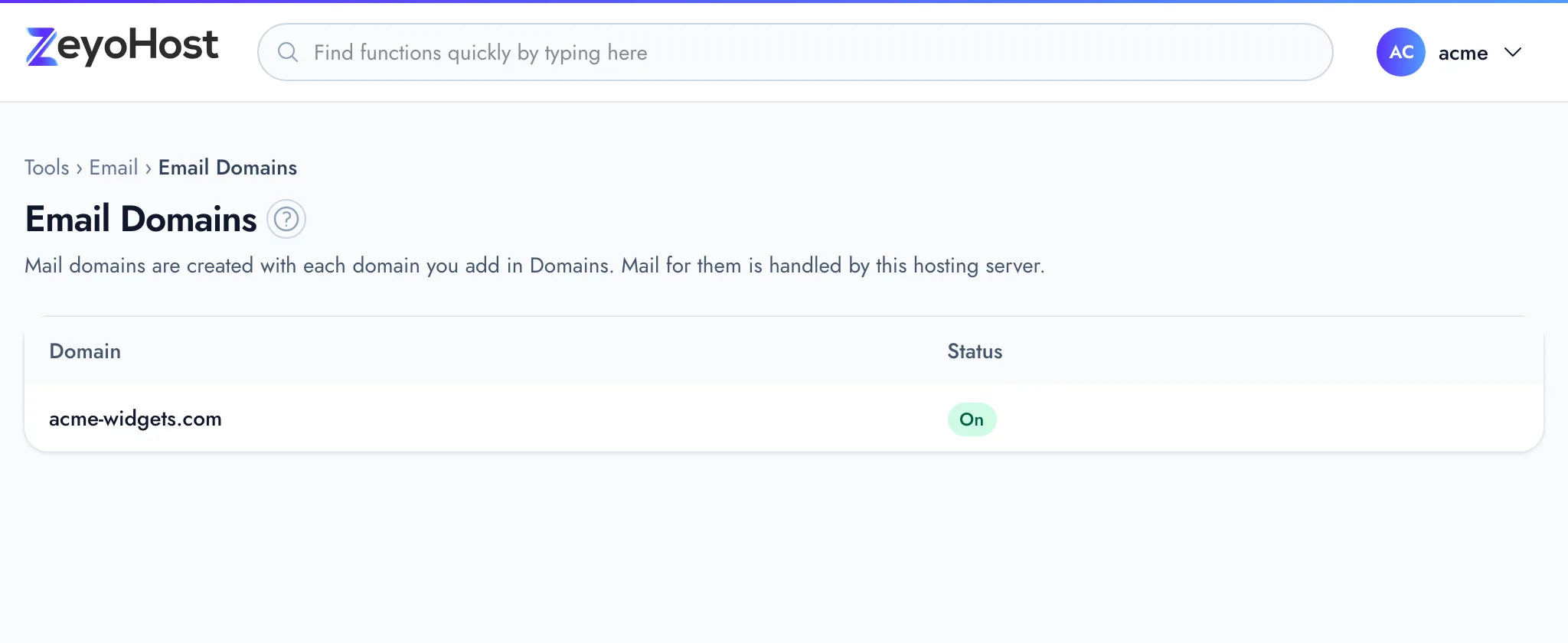
Email Domains lists the domains your email uses and whether they are ready to receive mail. Your plan keeps email in one of two places, and this page works differently for each:
- On this hosting server. Every domain you add in Domains gets email automatically. The page only lists them; there is nothing to add here.
- On Zeyo Host Mail. You add each domain here, and it needs a few DNS records before mail can arrive. The page shows those records, can add them to your DNS zone for you, and checks them.
The page's description tells you which one you have: "Mail for them is handled by this hosting server", or "Each needs a few DNS records before mail can arrive".
Status
| Status | Meaning |
|---|---|
| On | Email on this hosting server: the mail domain is set up. Mail for it arrives here once the domain's MX record points at this server. The panel does not check where the MX record points. |
| Receiving mail | Zeyo Host Mail: the domain is set up and mail for it is delivered. |
| Waiting for DNS | The domain was added to Zeyo Host Mail but its records were not found yet. |
| Verified, records missing | Ownership is proven, so mailboxes can be created, but some records are still missing. |
| Suspended | Email for the domain is suspended. |
Add a domain to Zeyo Host Mail
- In the panel, open Email → Email Domains.
- Under Add an Email Domain, enter the Domain, such as
example.com, withoutwwworhttps://. - Click Add Domain. The domain's records open below it.
Below the form, the page shows your Zeyo Host Mail plan and how many of its domains and mailboxes you use.
Add the DNS records
Click DNS records next to the domain. The list shows each record's Type, Name, Value, Priority and State. Records marked "(recommended)" are not required for mail to arrive.
If the domain's DNS is in this panel (it is listed in the Zone Editor):
- Click Add them to my DNS zone here.
- Read the message, then click Change my DNS zone to confirm.
The panel writes the records and then checks them.
If the domain's DNS is somewhere else (for example at your registrar), add each record there exactly as listed. The page may say which DNS provider the domain seems to use.
Check the records
- Click Check now next to the domain.
- Open DNS records and read the State column.
| State | What to do |
|---|---|
| ✓ Found | Nothing; the record is right. |
| Missing | Add the record where the domain's DNS is managed. |
| Different value | Change the record's value to the one listed. |
| Conflicting records | Remove the other records of the same kind, so only the listed one remains. |
| Not checked yet | Click Check now. |
New records can take a few minutes to be seen everywhere. If a record still shows Missing, check it with Track DNS.
Set up a mail app for a Zeyo Host Mail domain
Sign in with the full email address and the mailbox password. Connect Devices shows the same settings in the panel.
| Service | Server | Port and security |
|---|---|---|
| Incoming (IMAP) | imap.zeyohost.email |
993, SSL |
| Incoming (POP3) | pop.zeyohost.email |
995, SSL |
| Outgoing (SMTP) | smtp.zeyohost.email |
465, SSL, or 587, STARTTLS |
| Webmail | https://webmail.zeyohost.email |
More settings in Zeyo Host Mail
Aliases, catch-all addresses and automatic Cloudflare DNS are not in the panel. Click Open Zeyo Host Mail to sign in to Zeyo Host Mail's own site without a password.
If your hosting is suspended for an unpaid invoice, your Zeyo Host Mail is suspended too, unless you have another hosting account that is not suspended. Mailboxes keep their mail, and paying lifts the suspension. See what happens when a payment fails.
Remove a domain
- Click Remove next to the domain.
- Read the message and click Remove domain to confirm.
Common errors
| Message | Why | What to do |
|---|---|---|
| Enter a domain such as example.com. | The domain contains www, https://, a path or other characters. |
Enter only the domain name, such as example.com. |
| The DNS for … is not hosted here. Add the records where your domain's DNS is managed. | The domain has no DNS zone in this hosting account. | Add the records at your DNS provider by hand. |
| That domain is not one of your email domains. | The domain is not on your Zeyo Host Mail account, or was removed. | Reload the page and add the domain again if needed. |
| You have reached the limit of your plan. Remove something first, or move to a bigger plan in Billing. | Your plan's DNS record limit is reached while adding the records. | Remove DNS records you no longer need, or change your plan. |
| Zeyo Host Mail could not be reached. Please try again shortly. | The panel could not connect to Zeyo Host Mail. | Wait a minute and try again. |
Other messages on this page come from Zeyo Host Mail itself and are shown as it sends them.
Related
- Zone EditorAdd, change and remove the DNS records that tell the internet where your website and email live.
- Email AccountsCreate mailboxes on your domains, change their passwords and storage space, and delete the ones you no longer need.
- Connect DevicesFind the server names, ports and sign-in details to set up your email on a phone, tablet or computer.
- Email is not arrivingMessages to your domain's addresses never show up. Check where your domain's mail goes, the mailbox and its storage.
- My email goes to spamMessages you send from your domain land in the recipient's spam folder. Check the DNS records that prove your mail is genuine.
Was this page helpful?
Sent without cookies; we do not store your IP address.
Still stuck? Contact the team; tell us the page and what you see.