

Aliases
Show the same website under another name, such as a second domain or the www. version of your domain.
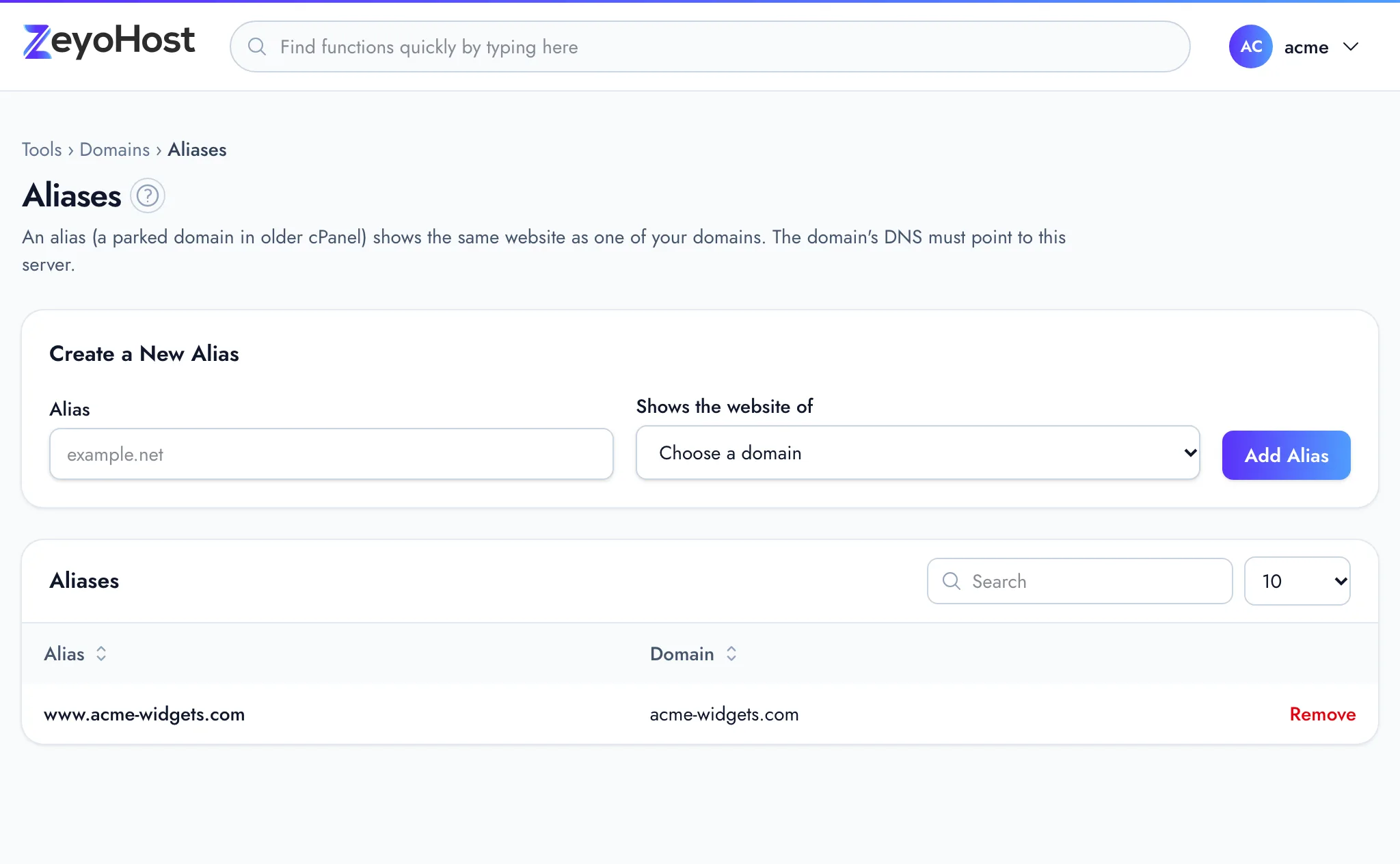
An alias is another name that shows the same website as one of your domains. Visitors who type the alias see the
site, and the address bar keeps the alias. Use it when you own several spellings or endings of a name, such as
example.net next to example.com. Older versions of cPanel called these parked domains.
When you add a domain in Domains, the panel adds its www. name as an alias for you,
so you will already see www.example.com here.
Add an alias
- In the panel, open Domains → Aliases.
- Under Create a New Alias, type the name in Alias, for example
example.net. Leave outhttp://. - In Shows the website of, choose the domain whose site it should show.
- Click Add Alias.
The panel confirms that the alias "now points to" your domain, and it appears in the table.
Remove an alias
- Click Remove on the alias.
- Read the message, then click Remove again to confirm.
Common errors
| Message | Why | What to do |
|---|---|---|
| The alias field format is invalid. | The name has http://, a path, spaces or characters a domain cannot have. |
Enter only the name, such as example.net. |
| The domain field is required. | No domain is chosen. | Choose one in Shows the website of. |
| That item already exists. | The name is already an alias or a domain on this server, on your hosting account or another one. | Check the tables in Aliases and Domains. Remove it there first if it is yours. |
| You have reached the limit of your plan. Remove something first, or move to a bigger plan in Billing. | Your plan's limit on aliases is reached. | Remove an alias you no longer use, or change your plan. |
Related
- DomainsAdd a domain as a new website with its own folder, DNS zone and email, change which folder it serves, or remove it.
- RedirectsSend everyone who visits one of your domains to another address, permanently (301) or temporarily (302).
- Zone EditorAdd, change and remove the DNS records that tell the internet where your website and email live.
- Point your domain to Zeyo HostSend your domain's visitors to Zeyo Host, either with our name servers or with A records, and check the change.
Was this page helpful?
Sent without cookies; we do not store your IP address.
Still stuck? Contact the team; tell us the page and what you see.